


Data integrity risks in medical devices: Where storage failures start
Medical device data integrity can fail even when storage remains accessible and a filesystem mounts cleanly. This guide explains how...
We are here to help
Have a question or need guidance? Whether you’re searching for resources or want to connect with an expert, we’ve got you covered. Use the search bar on the right to find what you need.

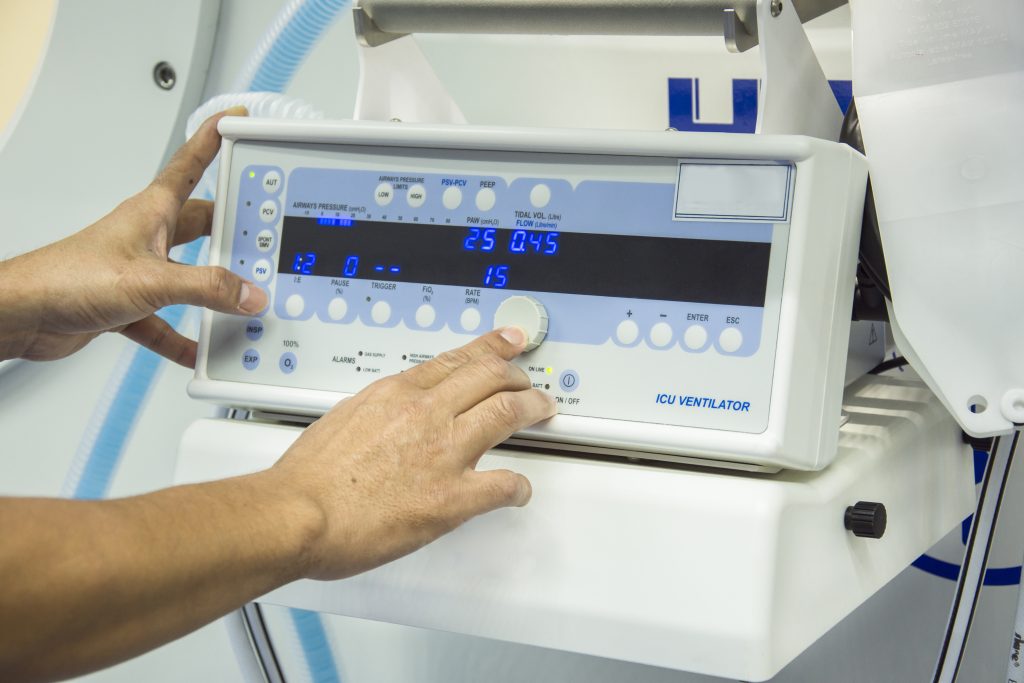
The cost of storage software in a medical device does not end when development is complete. Persistent storage continues operating through software updates, power interruptions, accumulated writes, servicing, hardware revisions, component replacements, preventive maintenance, and years of field use. A storage architecture that appears straightforward during development can become significantly harder to support when a failure is intermittent, a flash component becomes obsolete, an operating system changes, or medical equipment begins behaving differently after years of real-world operation. That makes the choice of medical device storage software a lifecycle decision as much as a software-selection decision.
Commercial storage software for medical devices can include embedded filesystems, transactional storage components, flash-management software, flash translation layer software, storage drivers, recovery mechanisms, diagnostic tools, and the maintenance and technical-support processes surrounding those components. The exact software required depends on the architecture. A compact medical device using raw flash has different storage responsibilities from medical equipment built around an RTOS, Linux, eMMC, UFS, SSD storage, or another managed storage device. Modern medical devices can depend on persistent storage for configuration, calibration, patient monitoring, audit trails, diagnostic information, software-update state, patient data, or medical imaging workflows, so storage behavior can affect operational efficiency, data integrity, field support, and potentially patient safety when a persistent state supports a critical device function.
Commercial software does not eliminate system risk, ensure patient safety by itself, or create regulatory compliance. Its value is narrower and more practical: it can reduce the amount of specialized storage engineering, validation preparation, field investigation, maintenance, migration, and long-term support that medical device manufacturers need to sustain internally. The central question is therefore not whether commercial software is inherently better. It is which storage-specific risks the manufacturer wants to own for the life of the medical device.
The framework in this article does not produce a universal winner. It identifies where the engineering responsibility sits, so that the decision follows the device rather than licensing philosophy.
A build-versus-buy decision is easy to reduce to licensing cost. That usually ignores the more important question of what the medical device company needs to own after the software has been selected. An internally maintained, operating-system-default, or open-source storage stack can be completely appropriate when the organization has the required expertise, understands the implementation, can validate it on the target hardware, and is prepared to maintain that capability throughout the product lifecycle.
The engineering burden extends beyond initial integration. Medical device companies may also own defect investigation, storage-media changes, operating-system upgrades, compiler migration, regression testing, performance characterization, field escalation, security maintenance, and long-term support of storage-specific software. For some device manufacturers, those responsibilities are manageable and worth retaining internally. For others, storage plays a critical role in the product while remaining too specialized to justify maintaining deep internal expertise across every layer. That is where commercial medical device storage software becomes a risk-allocation decision: which storage risks does the manufacturer want to engineer, validate, maintain, diagnose, and support internally for the life of the product?
A mature commercial storage component may provide documented behavior, established integration paths, known configurations, diagnostic capabilities, maintenance processes, and access to engineers who specialize in storage systems. Those are valuable capabilities, but they do not make the component responsible for the entire medical device. Persistent data may pass through application software, databases, filesystems, operating systems, device drivers, storage controllers, flash-management software, physical media, and the device’s power architecture before it becomes durable, and each layer owns different responsibilities.
A transactional filesystem cannot compensate for medical device software that defines the wrong transaction boundary. Flash-management software cannot correct an unstable power architecture. Storage software cannot ensure data security if encryption, key management, authentication, or access controls are missing elsewhere in the system. Commercial components therefore have value when they reduce uncertainty and specialist implementation burden in a defined part of the architecture. They should not be treated as replacements for system engineering, risk analysis, or device-level validation.
Storage-related device failures can be difficult to diagnose because the visible symptom may appear several layers away from the original cause. A medical device may restart with stale configuration even though its filesystem mounts normally. Patient-monitoring data may be incomplete after an interruption while the media itself remains readable. A latency problem may initially appear to be a medical device software issue. A software update may fail because an activation marker, controller cache, filesystem transaction, or power event behaved differently from what the application expected. These are system-level problems, and our related discussion of medical device data integrity addresses these persistence-path failures in greater depth.
For a commercial software decision, the question is different: when a failure crosses several storage layers, who has the expertise and evidence needed to isolate the actual cause? With an internally owned stack, most of that investigation burden remains with the medical device development team. With supported commercial medical device storage software, the organization may have access to another source of storage-specific expertise, product history, diagnostic knowledge, known issues, and escalation when the failure enters the software vendor’s area of responsibility. That does not guarantee that every problem will be diagnosed faster. It gives medical device manufacturers another technical path when the problem is genuinely storage-specific.
Power-loss recovery illustrates the distinction. Medical device software may need to recover the latest committed state, restore a previous known-good version, reject an incomplete update, or enter a controlled recovery path following interruption, and someone has to implement that behavior. The manufacturer can build the mechanisms internally, use capabilities available through the operating system or database, adopt an open-source filesystem with suitable semantics, or license commercial software where recovery mechanisms already form part of the storage architecture.
The benefit of an existing recovery mechanism is not that validation disappears. The complete medical device still has to be tested using the actual application, hardware, storage media, workload, and power conditions. The commercial value is that the engineering team may begin with a storage component whose recovery model has already been designed and maintained rather than creating every underlying mechanism from zero, which may reduce implementation burden and development time when the component matches the device requirements.
Some of the most expensive storage problems are not repeatable laboratory failures. They may appear only after significant field use, on one storage-device revision, near maximum capacity, under a particular workload, following an unusual power sequence, after accumulated writes, during an update, or intermittently in deployed medical equipment. Those conditions make root-cause analysis expensive. The device manufacturer may need to reproduce the field workload, preserve the failing media, inspect persistent state, compare hardware revisions, correlate power behavior with I/O activity, and determine whether the problem belongs to the application, filesystem, controller, flash media, or another layer.
Commercial support can become valuable here because the vendor should understand the behavior, assumptions, diagnostic tools, and known failure modes of its own software. The benefit is not merely having a support contact. It is access to storage specialists when the internal engineering team reaches the boundary of its own implementation knowledge. For medical device companies supporting large fleets, several product variants, or equipment deployed across multiple facilities, that escalation path can become increasingly valuable as field conditions multiply.
A storage problem often creates immediate pressure to restore the medical device. Reformatting the media, replacing the storage component, or reflashing the software may restore operation, and it may also remove the evidence needed to explain why the failure happened. Filesystem structures, corrupted records, incomplete transactions, storage-health information, logs, or workload history may disappear during remediation.
A stronger field process separates two objectives: restore the medical equipment to operation, and preserve enough evidence to determine why restoration became necessary. That distinction matters for field investigation, preventive maintenance, quality processes, risk management, and recurring device failures. Commercial diagnostic tools and vendor support are significantly less useful when the evidence has already been destroyed.
Modern medical devices can remain deployed far longer than the software project that created them. During the product lifecycle, processors become obsolete, flash components are replaced, operating systems and real-time operating systems evolve, compilers change, security requirements develop, suppliers revise devices internally, and engineering teams turn over. Source code can remain available while practical expertise disappears. A filesystem or flash-management component that was well understood during development may become difficult to maintain several years later when the engineers who originally integrated it are no longer available.
That creates lifecycle risk for medical device manufacturers. The organization must either preserve enough internal knowledge to maintain the storage stack or have an external support path capable of carrying part of that responsibility forward. Commercial medical device storage software does not eliminate obsolescence, since commercial products can also change, be replaced, or eventually reach end of support. The relevant advantage is the possibility of a defined maintenance model, lifecycle policy, migration path, and an organization accountable for supporting the component.
The underlying storage architecture affects how much specialist software a manufacturer needs to own. With managed devices such as eMMC, UFS, SD, or SSD storage, many NAND-management responsibilities are implemented inside the storage device. Raw flash can shift more media-management responsibility into embedded software, but the exact responsibilities depend on the technology. Raw NAND may require bad-block handling, wear management, erase-block allocation, ECC integration, and flash translation. Raw NOR has different management characteristics but can still require erase management, wear-aware allocation, and lifecycle handling appropriate to the device. Our medical device embedded file system checklist examines this architectural boundary in more technical detail.
From a commercial perspective, the implication is that the more media-specific behavior that must be handled in software, the more storage expertise the manufacturer must either maintain internally or obtain elsewhere. Commercial storage software can address different layers of medical embedded systems: one product may provide filesystem functionality while another manages raw flash below the filesystem, and those responsibilities should not be confused. The correct architecture depends on the media, workload, operating system, available resources, recovery requirements, and expected product lifecycle.
High performance during initial development does not prove that the same storage architecture will remain predictable throughout the life of the medical product. Storage behavior can change with utilization, workload, accumulated writes, media characteristics, temperature, background activity, and internal maintenance, and our article on medical device storage degradation examines those mechanisms in greater technical detail.
For the commercial decision, the additional question is who owns the diagnosis if performance changes later. The engineering team may need to determine whether higher latency comes from the application workload, database, filesystem, flash-management layer, storage media, capacity pressure, firmware, or another system interaction. Commercial medical device storage software becomes more valuable when the supplier can help characterize and diagnose those changes rather than ending its responsibility when the software is delivered. Operational efficiency is therefore not simply a benchmark result. It also depends on whether storage behavior remains understandable, diagnosable, and supportable over time.
A medical device storage architecture should be evaluated against the systems the company expects to support over time, not only the first hardware configuration. A future revision may introduce a different processor family, real-time operating system, Linux version, compiler, flash device, board design, storage interface, or connectivity architecture, and each change creates integration and regression risk. With an internally maintained stack, the medical device manufacturer owns the required porting, debugging, testing, and requalification. With commercial software, some of that work may be supported by the vendor if the target environment is already supported or can be added through the maintenance relationship.
That potential should be evaluated before the original medical product launches. Waiting until a storage component becomes unavailable is a poor time to discover that the software architecture is difficult to migrate.
Software migration is not only about rebuilding code for new hardware. Existing data may already be stored across hundreds or thousands of deployed devices, so if the filesystem or storage software changes, the engineering team should know whether existing media remain readable. Can a newer software release mount data written by the previous version? Can firmware roll back safely? Does an upgrade change the on-disk format? Is a migration step required? Can replacement hardware read long-lived configuration, audit trails, diagnostic history, medical imaging metadata, or patient data created by an earlier product revision?
These questions can become important during field servicing and product updates. Format stability, compatibility policy, migration behavior, data protection, and rollback expectations should therefore be part of the lifecycle decision rather than an implementation afterthought.
Commercial medical device storage software may provide a more documented starting point than a component the engineering organization builds entirely itself. Depending on the software and vendor, available evidence may include design documentation, defined behavior, supported configurations, test information, release histories, maintenance records, integration guidance, and other artifacts relevant to engineering review. That can make risk analysis, extensive testing, and validation planning more efficient.
It does not validate the finished medical device. The final system combines its own medical device software, storage media, operating system, drivers, power architecture, workload, hardware, configuration, and real-world use conditions, and those interactions still have to be verified on the target platform. Regulatory compliance also exists at the device and manufacturer level rather than being inherited from one filesystem or storage component. Commercial evidence should therefore support the manufacturer’s development, testing, risk-management, regulatory submissions, and quality activities, not replace them.
Medical devices can store sensitive data, including patient data, configuration, diagnostic information, audit trails, service records, and information generated during patient monitoring or medical imaging. Appropriate data protection may require encryption, authentication, access controls, secure deletion, key management, or other security measures. Those regulatory and security requirements are important, and they are also different from storage reliability. Encrypted data can still be stale. Authenticated software can still lose an interrupted transaction. Access controls do not make buffered information durable. Medical device storage software may support parts of the wider security architecture, but ensuring data security requires controls across the complete system.
The same caution applies to medical device regulations and phrases such as HIPAA compliance. Regulatory requirements depend on the medical product, intended use, information flows, deployment environment, and organizations handling the data, so a filesystem or flash-management component should not be presented as independently creating compliance. For medical device companies, storage reliability, data security, risk management, and regulatory compliance should remain connected but distinct responsibilities.
Cloud connectivity can change how medical devices exchange information, but it does not remove the need for reliable local persistence. Medical equipment may exchange patient-monitoring information, medical imaging data, service records, configuration, or other device data with cloud services, hospital systems, mobile applications, or centralized platforms, and those connections can fail. Networks become unavailable, authentication expires, mobile medical equipment moves outside coverage, cloud platforms experience interruptions, and healthcare environments may restrict communication for security or operational reasons. If medical devices require offline capabilities, local storage needs to preserve the required information until cloud connectivity returns.
That introduces additional questions. What happens when local data accumulates longer than expected? How much capacity is available? Which patient data or operational state takes priority? How is synchronization handled when connectivity returns? Can sensitive data remain protected while stored locally? Cloud services may support clinical processes, centralized data analysis, or healthcare teams across multiple facilities, but reliable connectivity still depends on trustworthy local storage when the network is unavailable. Commercial storage software does not solve the cloud architecture. It can form part of the persistence layer that allows the medical device to continue operating predictably when cloud services are unavailable.
Commercial storage software is worth evaluating when the internal ownership burden becomes significant relative to the value of building and maintaining the same capabilities internally. That may occur when recovery requirements are strict, field failures are expensive to investigate, the product lifecycle is long, raw flash requires specialist management, several operating systems or hardware platforms must be supported, or the organization has limited internal storage expertise. Commercial software may also make sense when device manufacturers need a defined escalation path for difficult field problems, expect storage hardware to change repeatedly, or want long-term maintenance responsibility to be shared with a specialist software provider.
These conditions do not automatically make a commercial product the correct solution. They indicate that storage ownership has become a meaningful engineering and business decision.
Commercial medical device storage software is not necessary simply because software runs inside a medical device. An internal, operating-system-default, or open-source solution can be entirely appropriate when requirements are well understood, the platform is stable, the engineering team has sufficient expertise, validation can be performed internally, and the maintenance burden remains acceptable. Open-source software can also provide implementation visibility, platform familiarity, portability, and direct control over maintenance.
The relevant question is not whether software is commercial or open source. It is whether the medical device company can support the technical and lifecycle obligations attached to that choice. If it can, internal ownership may be the more appropriate decision.
Selecting commercial medical device storage software means evaluating more than product capabilities, because the vendor relationship itself becomes part of the lifecycle architecture. Technical capability asks whether the software meets the required recovery, durability, performance, resource, media, security-integration, and operating-system requirements. Evidence asks whether those capabilities can be substantiated through documentation, supported configurations, regression testing, release information, extensive testing, and target-system evaluation.
Support asks what happens when the internal engineering team cannot resolve a field issue. Is there a meaningful escalation path? Can engineers familiar with the implementation become involved? How are device failures reproduced, tracked, and corrected? Lifecycle asks what happens several years later: what the maintenance horizon is, how end-of-life decisions are communicated, what happens when hardware changes, how compatibility is handled, and what migration options exist. For long-lived medical devices, these vendor characteristics are technical requirements rather than purely procurement concerns.
| Decision area | Internal or default ownership | Commercial software consideration |
|---|---|---|
| Storage expertise | Manufacturer maintains specialist knowledge | Vendor can contribute storage specialists |
| Recovery design | Team develops and validates recovery mechanisms | Existing recovery mechanisms may reduce implementation work |
| Flash management | Team owns required media-management software | Commercial flash-management software may provide it |
| Validation preparation | Requirements and evidence created internally | Vendor documentation and test evidence may accelerate preparation |
| Field diagnostics | Manufacturer builds tools and investigates | Vendor diagnostics and escalation may assist |
| Defect resolution | Team identifies, fixes, and maintains defects | Maintained product releases can provide a structured fix path |
| Platform migration | Manufacturer ports and requalifies software | Vendor may support additional systems and storage media |
| Compatibility | Team owns on-disk format and migration strategy | Vendor compatibility and migration policies may reduce uncertainty |
| Lifecycle | Internal maintenance roadmap required | Vendor product and support lifecycle becomes part of the plan |
| Obsolescence | Manufacturer designs the transition | Vendor may provide migration or extended-support options |
The framework does not produce a universal winner. It identifies where the engineering responsibility sits.
Commercial medical device storage solutions can address different responsibilities inside a medical device architecture. Tuxera EdgeFS can address embedded filesystem requirements where constrained resources and recovery behavior are important. Tuxera NitroFS addresses transactional filesystem requirements for more capable embedded systems. Tuxera FlashFX Tera addresses a different layer by providing software-based flash management where the architecture uses raw NAND or NOR.
Those products solve different problems and should not be treated as interchangeable. The appropriate component depends on the selected storage media, operating system, available resources, workload, recovery model, lifecycle requirements, data-protection architecture, and target hardware. The engineering requirement should determine the product fit, not the reverse.
Choosing medical device storage software is not simply a question of whether commercial software is better than an internal, operating-system-default, or open-source alternative. The more useful question is which storage-specific responsibilities the medical device manufacturer wants to own throughout the product lifecycle. Those responsibilities can include recovery design, flash management, target validation, field investigation, performance characterization, hardware migration, on-disk compatibility, defect correction, data-protection integration, and long-term support.
For some medical device companies, maintaining those capabilities internally is entirely appropriate. For others, commercial medical device storage software can reduce field and lifecycle uncertainty by providing established storage mechanisms, documentation, maintenance, diagnostic tools, specialist expertise, and a defined escalation path when systems behave differently under real-world conditions. The decision should follow the device’s actual risk analysis, engineering capabilities, architecture, regulatory requirements, security requirements, and expected lifecycle rather than licensing philosophy alone.
Where persistent state participates in the sensor-to-action path, these same lifecycle responsibilities also contribute to maintaining a trustworthy Physical AI Data Layer. Trust comes from evidence that the complete storage system continues to behave as required across development, deployment, maintenance, and field use, not from whether the software carries a commercial label.
Weighing storage ownership for a medical device platform?
Talk to a storage expertRELATED ARTICLES

Medical device data integrity can fail even when storage remains accessible and a filesystem mounts cleanly. This guide explains how...
Embedded storage rarely fails all at once. This guide explains how medical device storage degradation develops across the device lifecycle,...
Choosing a medical device embedded file system requires more than comparing APIs or benchmark speed. This checklist explains how to...
Suggested content for: