


Fusion SMB instead of Windows Server: why?
Ned Pyle compares Fusion SMB, a Linux SMB server, with Windows Server on scale, clustering, performance, and security, using side-by-side...
We are here to help
Have a question or need guidance? Whether you’re searching for resources or want to connect with an expert, we’ve got you covered. Use the search bar on the right to find what you need.

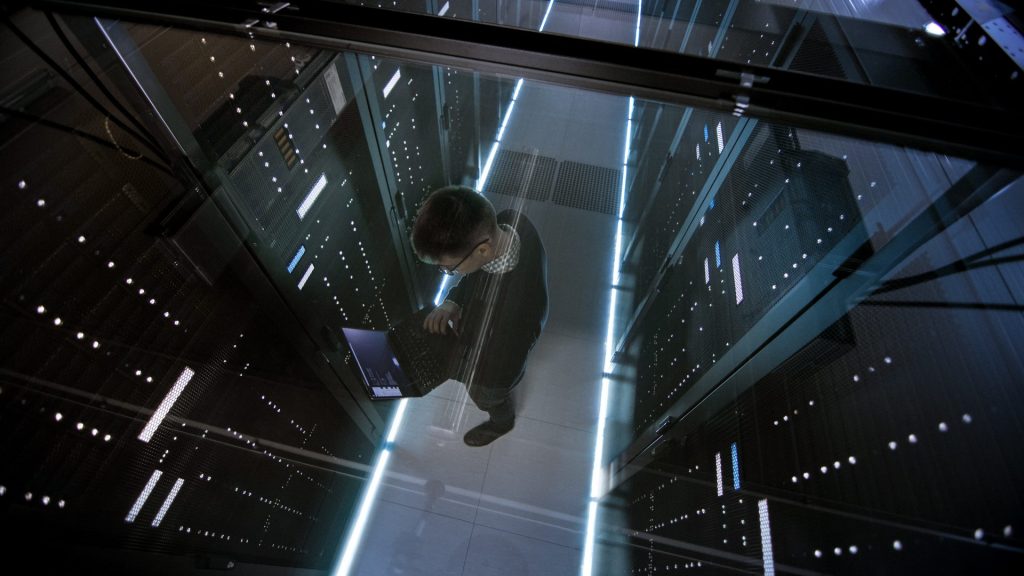
Fusion SMB is Tuxera’s Linux SMB server. On MLPerf, it read training data about 10x faster than Samba, the open-source SMB server for Linux, and kept 24 simulated accelerators fed. Here is a quick tour of the benchmark results before you dive into the full report.
The differences in benchmark numbers for Fusion SMB and the competition are not subtle. On a single test server, Fusion SMB measured more than 10 times faster than Samba and sustained twice as many accelerators as the next-best alternative. The complete results, methodology, and architectural reasoning are in the Fusion SMB benchmark report.
For years, the transport protocol was a secondary consideration. The network was the main constraint, followed by the storage system. The file server, as essential as it is, was almost an afterthought.
With 200Gb and 400Gb network adapters now available in mainstream servers (and with 800Gb on the way), and with fast solid state memory-based storage systems capable of saturating them, the slowest piece is suddenly the file server itself. A protocol implementation that cannot distribute work evenly across multiple CPU cores, cannot make use of hardware offloading features such as Remote Direct Memory Access (RDMA), or one that does not cluster effectively across multiple nodes will cap your throughput long before your hardware does.
This is the gap that our benchmarks reveal. They pit the file-sharing implementations against each other on the same network and storage, so the differences come from the implementations themselves.
The clearest single point of comparison is sequential read throughput against Samba, since most Linux deployments start there.
| Network | Fusion SMB | Samba |
|---|---|---|
| 100GbE | 11.4 GB/s | 2.8 GB/s |
| 200GbE | 22.5 GB/s | 4.17 GB/s |
| 2×200GbE | 46.86 GB/s | 4.17 GB/s |
Sequential read throughput at a 1 MB block size.
As the network and storage get faster, Fusion SMB scales toward the storage ceiling while Samba falls further behind. Fusion SMB uses a multithreaded, user-mode design with a mature multichannel implementation and full RDMA support, enabling SMB Direct. The use of RDMA on capable hardware allows for bypassing much of the networking stack, leaving more CPU capacity available for other tasks. As a result, adding a second 200Gb path roughly doubles throughput with Fusion SMB.
Samba by comparison uses a process-per-connection model and does not support RDMA. The results show that increasing the available bandwidth or storage performance does almost nothing for Samba’s numbers, as the architectural limitations prevent it from turning the extra bandwidth into client-visible throughput. The report explains this in depth. For a more complete side-by-side feature comparison, the Fusion SMB instead of Samba blog post will have you covered.
If your reference point is Windows Server rather than Samba, the report covers that comparison too. The largest gains in favor of Fusion there can be seen in random writes and small-block I/O. A more complete version of that comparison is in the Fusion SMB instead of Windows Server blog post.
Keeping GPUs busy is a harder test than peak throughput. The MLPerf 3D-UNet benchmark simulates a real AI training workload and measures how many accelerator units a storage server can keep at or above the required 90 percent utilization threshold. This requires sustained high performance, as momentary dips in transfer rates can cause breaks or bubbles in the execution of the accelerators. In this benchmark, more passing units equate to more GPUs getting a steady flow of data from the server.
| Platform | Transport | Passing AUs | Throughput |
|---|---|---|---|
| Samba | TCP | 0 | 2.82 GB/s |
| NFS Ganesha | TCP | 9 | 11.36 GB/s |
| NFSD | RDMA | 11 | 13.83 GB/s |
| Fusion SMB | RDMA | 24 | 27.77 GB/s |
MLPerf 3D-UNet: accelerator units (AUs) kept at or above 90 percent utilization, by platform.
A single Fusion SMB server feeds roughly twice as many GPUs as the same host running other file server implementations such as NFSD, the Linux kernel NFS server, or NFS Ganesha, a user-space NFS server. Samba does not register a single passing accelerator with this workload, which makes it unfeasible for AI training at scale.
SMB 3, along with RDMA, multichannel, and scale-out, allows for the fast movement of very large amounts of data. On training workloads, that is what wins. For why the storage layer rather than GPU compute is the typical bottleneck in production AI, see the AI bottleneck blog post.
Checkpoints are bursty, large, and frequent. A training run saves its state at regular intervals, so it can resume after a failure, and if storage cannot absorb those writes quickly, the checkpoint becomes the longest-running operation in the run.
During a trial with a 104.7 GB LLaMA3-8B checkpoint, Fusion SMB completed the save in 6.7 seconds. Samba took 28.1 seconds. NFSD and NFS Ganesha landed at 7.9 and 10.4 seconds respectively. Across hundreds of checkpoints in a multi-day run, the difference between 7 and 28 seconds compounds into hours of GPU time spent waiting on storage rather than training.
In a real IBM Storage Scale deployment serving 150 GB/s of aggregate throughput, Fusion SMB replaced the existing Samba protocol layer with a much smaller footprint.
| Metric | Samba | Fusion SMB | Change |
|---|---|---|---|
| Protocol nodes | 11 | 4 | 63% fewer |
| Switch ports | 44 | 16 | 64% fewer |
| Network connections | 22 | 8 | 64% fewer |
| Aggregate throughput | 154 GB/s | 160 GB/s | 4% higher |
| 3-year TCO | Baseline | 30 to 35% lower |
IBM Storage Scale deployment after the Samba protocol layer was replaced with Fusion SMB.
Fewer nodes naturally mean fewer licenses, less power, less cooling, less cabling, and in general a lower overhead to operate. Fusion’s performance characteristics still allow for aggregate throughput to go up rather than down.
This is the high-level view. The full Fusion SMB benchmark report dives deeper:
Every figure here came from a controlled test environment. Yours will look different, because your network, your storage, and your workloads are different. That is the point of an evaluation: to find out which of these gaps show up most clearly on your stack. You may want to check out the full benchmark report if you are interested, and then talk to our team about running the appropriate tests on your hardware.
RELATED ARTICLES

Ned Pyle compares Fusion SMB, a Linux SMB server, with Windows Server on scale, clustering, performance, and security, using side-by-side...

Samba, the open-source SMB server for Linux, is free. Ned Pyle sets out why enterprises still pay for Fusion SMB,...
Windows and macOS have never stopped relying on SMB, and cloud platforms have not either. Four workloads where SMB support...

Most enterprise storage runs on two protocols, SMB and NFS, kept apart for decades because neither knows about the other's...
Suggested content for: